

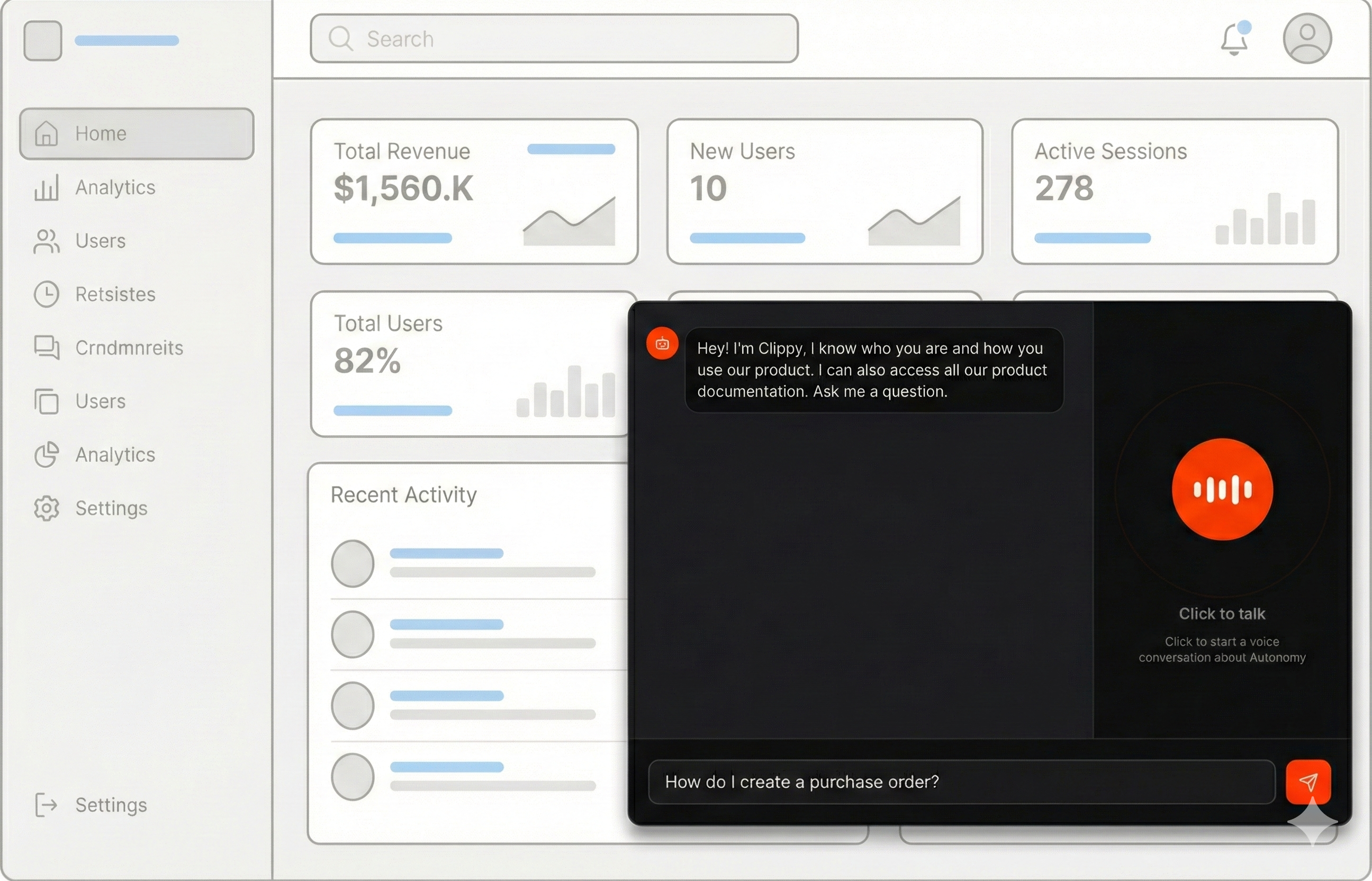
Use Autonomy to embed your documentation into your product as intelligent voice and text-based conversational agents that deliver tailored answers based on a user’s current context and intent.
Most documentation lives outside the product and treats every reader the same.
Autonomy lets you change that. By running documentation agents inside your app,
you can give users answers that reflect who they are, what they are trying to do,
and where they are in the product.Here is an example, the following voice enabled agents are powered by Autonomy.
Give it a try, ask it anything about Autonomy, type below or click the microphone to talk:Agents, built with Autonomy, can power text and voice conversations
rooted in knowledge from docs stored in Mintlify, Gitbook,
or other documentation systems. They can also trigger actions in a
product by invoking APIs available to them as tools defined in python.We use this exact pattern on our own website. The chat and voice experience at
https://autonomy.computer#learn runs on Autonomy and connects directly to our
docs stored in Mintlify.
This lets us tailor the experience of each visitor. Agents receive custom
instructions that adapt responses for different audiences, such as developers,
analysts, investors, or first-time visitors.
curl -sL https://github.com/build-trust/autonomy/archive/refs/heads/main.tar.gz | \ tar -xz --strip-components=3 autonomy-main/examples/voice/docscd docs
This will create a new directory with the complete example:
File Structure:
Copy
Ask AI
docs/|-- autonomy.yaml|-- images/ |-- main/ |-- Dockerfile |-- main.py # Application entry point |-- index.html # Voice and text interface
3
Point to your docs
Open images/main/main.py and update the INDEX_URL to point to your documentation:
images/main/main.py
Copy
Ask AI
INDEX_URL = "https://your-docs-site.com/llms.txt" # Change this
The example expects an llms.txt file containing markdown links to your documentation pages. This format is common with documentation platforms like Mintlify, Gitbook, and others.
4
Deploy
Copy
Ask AI
autonomy
Once deployed, open your zone URL in a browser to access the voice and text interface.
When a user speaks to the agent, a voice agent receives audio over a
websocket and transcribes it. It speaks a brief acknowledgment (“Great question!”)
and delegates the question to a primary agent, which searches a knowledge
base for relevant documentation and returns a concise answer. This two-agent
pattern ensures low latency while maintaining accuracy through
retrieval-augmented generation.
Update the instructionsThe agent instructions define how your agent responds. Customize these for your product:
images/main/main.py
Copy
Ask AI
INSTRUCTIONS = """You are a developer advocate for [YOUR PRODUCT].[YOUR PRODUCT] is a platform that [WHAT IT DOES].You can access a knowledge base containing the complete [YOUR PRODUCT] docs.ALWAYS use the search_[your_product]_docs tool to find accurate informationbefore answering.IMPORTANT: Keep your responses concise - ideally 2-4 sentences. You are primarilyused through a voice interface, so brevity is essential.- Always search the knowledge base first.- If you can't find it, say so. Don't make stuff up.- Use active voice, strong verbs, and short sentences."""
Also update the voice agent instructions and the knowledge tool name to match your product.Tune the Knowledge BaseAdjust these parameters based on your documentation size and structure:
Voice detection sensitivity (0.0-1.0). Higher = less sensitive.
0.5
vad_silence_duration_ms
Silence before end of speech detection
500
delegation_instructions
Instructions passed when delegating to the primary agent
None
Multilingual Support: The voice agent can detect and transcribe speech in multiple languages.
If a user speaks in German, for example, the system may transcribe and respond in German automatically.
To control this behavior, add language instructions to your agent configuration — either enforcing
English responses by default or enabling intentional multilingual support.
Adding Filesystem Tools (Optional)For large documentation sets where semantic search alone may not provide
complete context, you can add filesystem tools as a fallback. This gives the
agent direct access to read complete documentation files.
images/main/main.py
Copy
Ask AI
from autonomy import FilesystemTools, ToolDOCS_DIR = "/tmp/docs"# Download docs to filesystem (in addition to knowledge base)async def download_docs(): # ... download and save files to DOCS_DIR ...# Add filesystem toolsfs_tools = FilesystemTools(visibility="all", base_dir=DOCS_DIR)await Agent.start( node=node, name="docs", tools=[ knowledge_tool, Tool(fs_tools.read_file), Tool(fs_tools.list_directory), Tool(fs_tools.search_in_files), ], # ... rest of config)
Update the instructions to guide the agent on when to use each tool:
images/main/main.py
Copy
Ask AI
INSTRUCTIONS = """...You have access to two types of tools:1. **search_docs** - Semantic search (use first)2. **Filesystem tools** - Direct file access (use when semantic search is insufficient) - read_file(path) - Read complete files - search_in_files(pattern, path) - Find exact text patternsALWAYS start with semantic search. Only use filesystem tools when you needcomplete context, exact code examples, or specific configuration values."""
See Filesystem access for more on filesystem tools and
visibility options.
Loading DocumentationThe example downloads documentation from URLs and loads them into the knowledge base:
images/main/main.py
Copy
Ask AI
async def load_docs(knowledge: Knowledge): print(f"[DOCS] Starting download from {INDEX_URL}") try: async with httpx.AsyncClient(timeout=30.0) as client: response = await client.get(INDEX_URL) llms_txt = response.text print(f"[DOCS] Fetched index ({len(llms_txt)} chars)") except Exception as e: print(f"[DOCS] ERROR fetching index: {e}") raise links = re.findall(r"\[([^\]]+)\]\((https://[^\)]+\.md)\)", llms_txt) count = 0 print(f"[DOCS] Found {len(links)} doc links to download") for title, url in links: try: await knowledge.add_document( document_name=title, document_url=url, content_type="text/markdown", ) count += 1 except Exception as e: print(f"[DOCS] ERROR loading '{title}': {e}") print(f"[DOCS] Successfully loaded {count} documents into knowledge base") return count
The add_document method fetches the content from the URL and indexes it for semantic search.Voice Agent DelegationThe voice agent uses a two-step pattern for low-latency responses:
images/main/main.py
Copy
Ask AI
VOICE_INSTRUCTIONS = """You are a developer advocate for Autonomy.Autonomy is a platform that developers use to ship autonomous products.# Critical Rules- Before delegating, speak a SHORT lead-in (1-4 words max) that acknowledges the user. - Good examples: "Great question!", "Good question!", "Glad you asked ...", "Right, great question. So ...", "Here's the core idea ...", "Sure, here's the core idea ...", "Right, so ...", "Okay, so ..." - NEVER say: "Let me...", "Let me get/explain/break that down" - NEVER use phrases that imply fetching, thinking, or processing- Delegate immediately after the brief acknowledgment.- NEVER answer questions about Autonomy from your own knowledge - always delegate.# After Receiving ResponseRead the primary agent's response VERBATIM and IN FULL.Do NOT truncate, summarize, or modify it in any way.# Personality- Be friendly but minimal - get to the point fast- Be direct and confident- Short acknowledgments, then let the content speak"""
This ensures users hear immediate feedback while the primary agent retrieves accurate information.Starting the AgentThe agent is configured with voice capabilities and the knowledge tool:
Autonomy automatically provides APIs and streaming infrastructure for every
agent you create. This makes is simple to integrate the agents that you created
above into your product.HTTP API — Every agent gets HTTP endpoints out of the box:
Copy
Ask AI
# Single responsecurl -X POST \ -H "Content-Type: application/json" \ -d '{"message": "How do I get started?"}' \ "https://your-zone.cluster.autonomy.computer/agents/docs"# Streaming responsecurl -X POST \ -H "Content-Type: application/json" \ -d '{"message": "What features are available?"}' \ "https://your-zone.cluster.autonomy.computer/agents/docs?stream=true"
WebSocket API — Voice agents get WebSocket endpoints for real-time audio streaming:
Multitenancy — You can isolate conversations per user with
scope and conversation parameters. Each combination gets its own
Context and Memory:
/dev/null/example.js
Copy
Ask AI
// WebSocket with isolationconst wsUrl = `/agents/docs/voice?scope=${userId}&conversation=${sessionId}`;// HTTP API with isolationfetch(`/agents/docs?stream=true`, { method: "POST", body: JSON.stringify({ message: userMessage, scope: userId, conversation: sessionId })});
The example includes a complete voice and text UI in index.html that you
can adapt for your product. Here are the key parts:WebSocket ConnectionConnect to the voice agent with multi-tenant isolation: